Google Authentication in Express.js with TypeScript, Mongoose & JWT
Learn how to implement Google Authentication in an Express.js application using TypeScript, Passport.js, MongoDB with Mongoose, and JWT authentication
In this blog, we will implement Google Authentication in an Express.js app using:
- TypeScript
- Express.js
- Mongoose
- Passport.js
- JWT Authentication
└── src/ ├── config/ ├── controllers/ ├── middlewares/ ├── models/ ├── routes/ ├── utils/ ├── app.ts └── index.ts├── .env├── package.json└── tsconfig.jsonnpm install passport passport-google-oauth20npm install jsonwebtoken cookie-parser bcrypt mongoose
npm install -D @types/passport-google-oauth20Go to Google Cloud Console
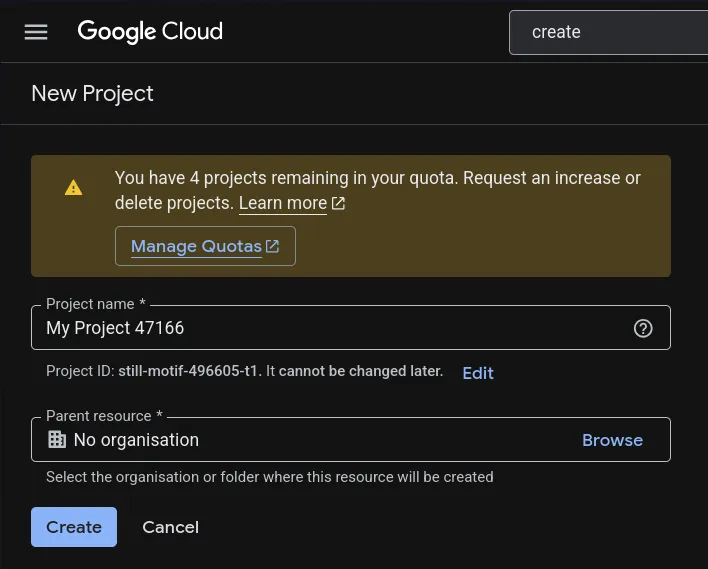
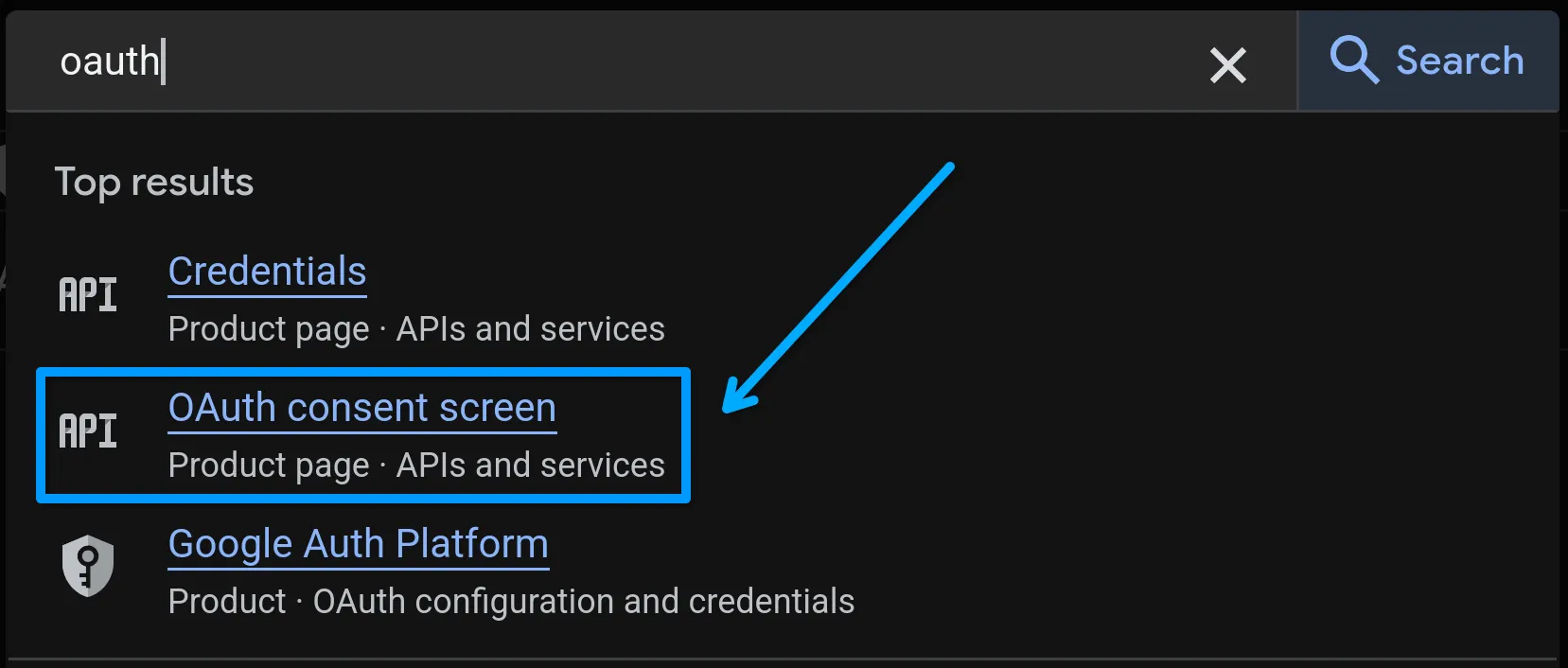
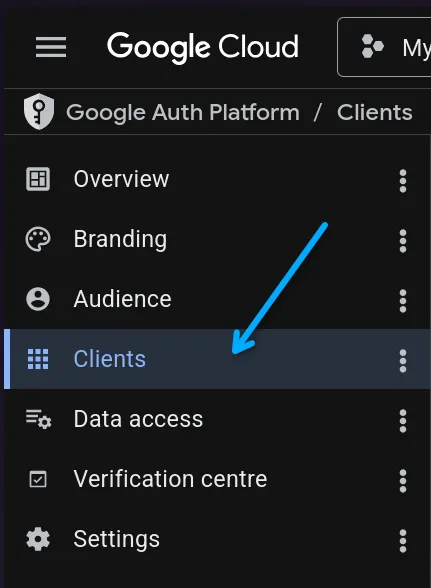
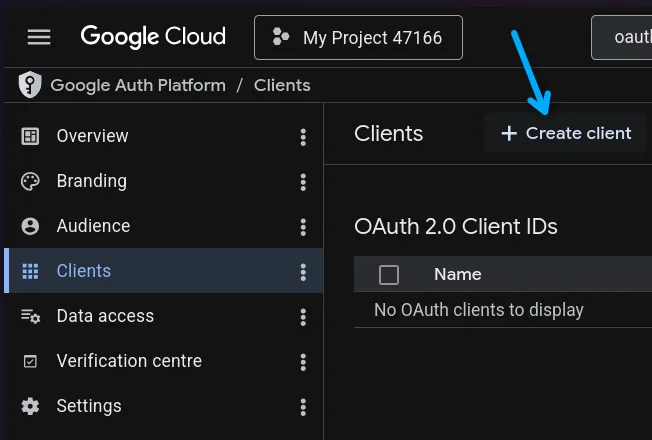
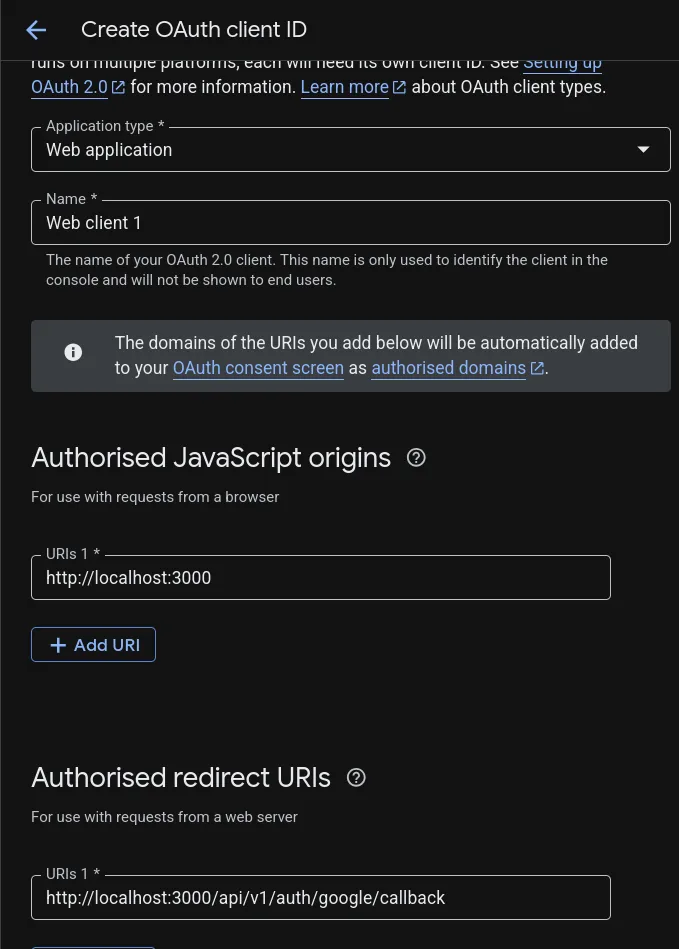
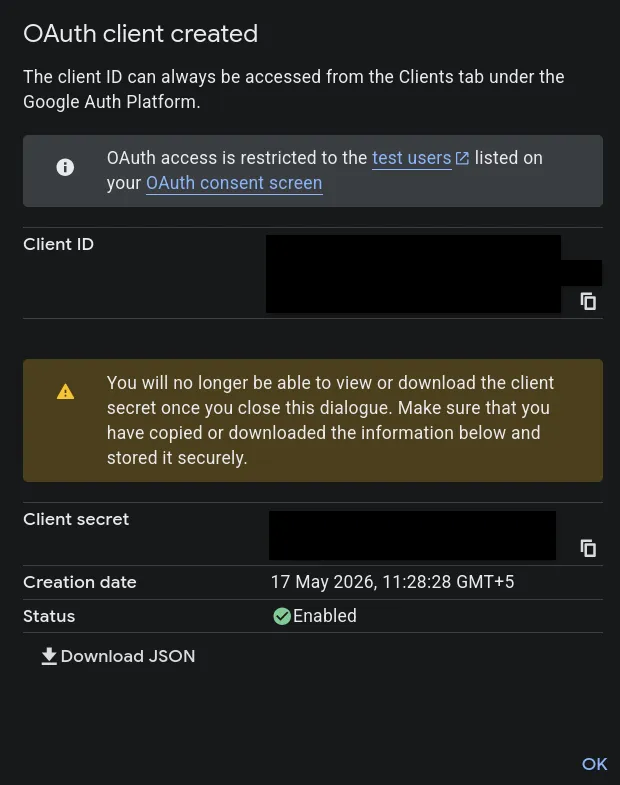
Create a .env file:
GOOGLE_CLIENT_ID=GOOGLE_CLIENT_SECRET=GOOGLE_CALLBACK_URL=http://localhost:3000/api/v1/auth/google/callbackYour user model MUST contain these fields:
refreshToken: {  type: String,},
googleId: {  type: String,},
If you already support password login, make password optional:
password: { type: String, required: false,},Also add checks wherever password login is used:
if (!user.password) { throw new Error("Password login not available for this account");}Create: src/config/passport.ts
import passport from "passport";import { Strategy as GoogleStrategy } from "passport-google-oauth20";import { User } from "../models/User.model.js";import { generateUsername } from "../utils/usernameGen.js";
passport.use(  new GoogleStrategy(    {      clientID: process.env.GOOGLE_CLIENT_ID!!,      clientSecret: process.env.GOOGLE_CLIENT_SECRET!!,      callbackURL: process.env.GOOGLE_CALLBACK_URL,    },    async (_accessToken, _refreshToken, profile, done) => {      try {        const email = profile.emails?.[0]?.value;
        if (!email) {          return done(new Error("No email found"));        }
        let user = await User.findOne({          $or: [{ googleId: profile.id }, { email }],        });
        if (user && !user.googleId) {          user.googleId = profile.id;          await user.save();        }
        const username = await generateUsername(profile.displayName);
        if (!user) {          user = await User.create({            username,            fullName: profile.displayName,            email,            googleId: profile.id,            avatarUrl: profile.photos?.[0]?.value || "",          });        }
        user = await User.findById(user._id).select(          "-password -refreshToken -googleId"        );
        if (!user) {          return done(new Error("User not found after creation"));        }
        return done(null, user);      } catch (error) {        return done(error as Error);      }    }  ));
export default passport;Create: src/utils/usernameGen.ts
Your logic should:
- Convert full name into username
- Add numbers if username already exists
- Ensure uniqueness
Example:
johnjohn12john123src/controllers/auth.controller.ts
export const googleAuth = asyncHandler(async (req: Request, res: Response) => {  const user = req.user!;
  const { accessToken, refreshToken } =    await generateTokens(user._id);
return res .status(200) .cookie("accessToken", accessToken, cookieOptions) .cookie("refreshToken", refreshToken, cookieOptions) .json({ success: true, user, });});src/routes/auth.route.ts
router.route("/google").get(  passport.authenticate("google", {    scope: ["profile", "email"],    session: false,  }));
router.route("/google/callback").get( passport.authenticate("google", { failureRedirect: "/login", session: false, failureMessage: "Failed to login with Google", }), googleAuth);Inside app.ts
import passport from "./config/passport.js";
app.use(passport.initialize());- User visits:
/api/v1/auth/google - Google login page opens
- User authenticates
- Google redirects back to callback URL
- User gets JWT tokens
- Cookies are set
Open: http://localhost:3000/api/v1/auth/google
If configured correctly:
- Google login opens
- User account gets created
- JWT cookies are generated
Ensure callback URL matches exactly in:
- Google Console
.env- Passport Strategy
Make sure scope contains:
scope: ["profile", "email"]Use secure cookies in production:
secure: true,httpOnly: true,sameSite: "strict",You now have Google Authentication working with:
- Express.js
- TypeScript
- Mongoose
- Passport.js
- JWT
You can further extend this with:
- GitHub OAuth
- Discord OAuth
- Role-based auth
- Email verification
Happy coding 🚀